CarParts.com
- 4.7
- Rating
- 500.00K
- Installs
- Free
- Price

 Analysis by App-foxy
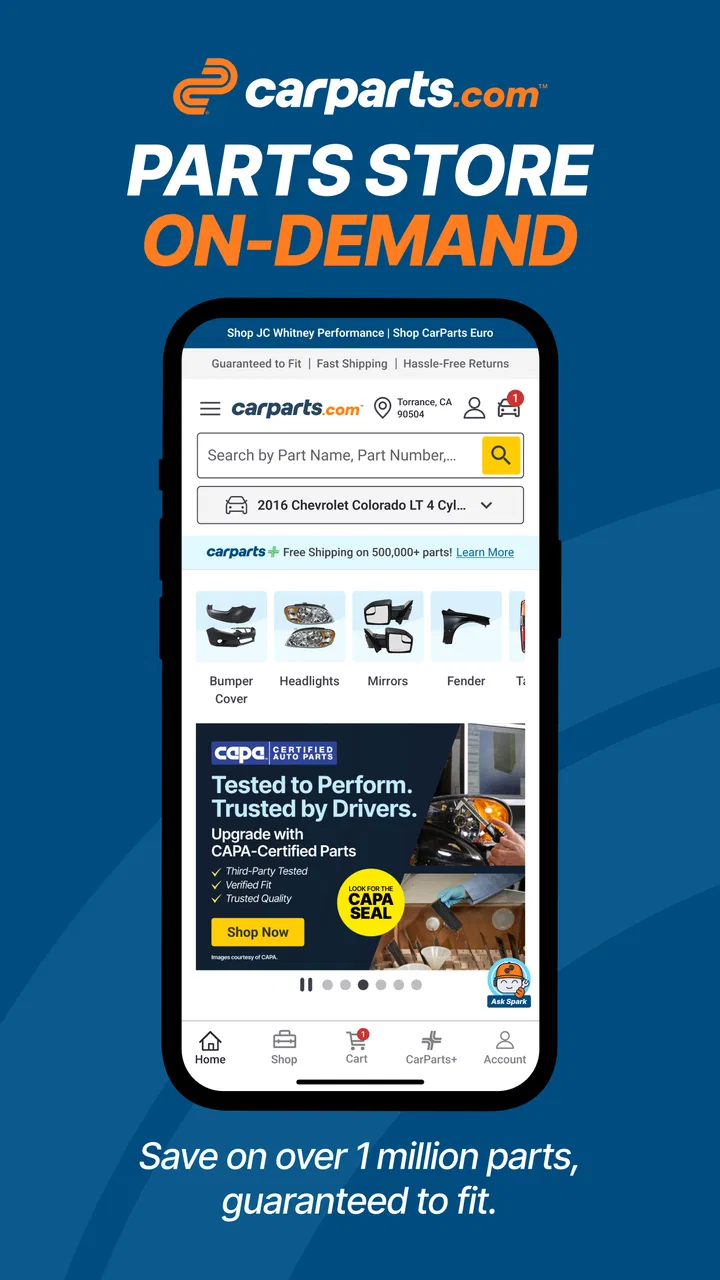
Buying a car part online can feel more complicated than it should. A photo may look right while the connector, engine size, body style, or mounting point is completely wrong for your vehicle. I found that CarParts.com is designed around reducing that uncertainty: it brings a very large parts catalog into a mobile shopping experience and puts vehicle compatibility at the center of the process. It is a free Auto & Vehicles app from Carparts.com, aimed at people who want to identify and order replacement parts without beginning with a long search through unrelated listings.
My first impression was that this is most useful when I already know what vehicle I am working on but do not yet know the exact part name. Instead of treating the app like a general marketplace, I use it as a guided way to narrow the search. That distinction matters. It is not a repair manual, a diagnostic scanner, or a substitute for professional advice. Its value is in helping me move from “I need something for my car” toward a more specific part choice with fitment in mind.
What the app is really like for a first-time shopper
The developer, Carparts.com, presents the app as a place to browse more than a million auto parts, with fitment treated as a central promise rather than a minor product detail. In everyday use, that means I would not begin by scrolling through generic search results. I would first establish the vehicle context, then search for the component. This approach is especially helpful for common maintenance jobs where several visually similar parts may exist for different trims or production variations.
You May Also Like

 Google Keep - Notes and lists
Google Keep’s Quiet Growth Shows the Appeal of Simpler Notes
As mobile work gets busier, Google Keep keeps winning a simple contest: capture a thought quickly, find it later, and get on with the day.

 Blood Strike: 2.5 Anniversary
Blood Strike’s Loadouts Turn Every Drop Into a Tactical Gamble
A close look at Blood Strike’s custom loadouts: how fast access to signature weapons reshapes its battle royale rhythm, rewards preparation, and narrows the gap between fights.

 Pandora - Music & Podcasts
Pandora’s Music Is Easy to Start, but Harder to Recover
Pandora’s strength is its low-effort path from a seed to a station. Its weak spot is how much confidence it asks you to place in connection, setup, and quiet recovery.

 8 Ball Pool
 Is Built on Rivalries, Rematches, and Routine
A close look at the rivalries, rematches, shared routines, and unanswered safety questions that turn a quick pool match into a persistent mobile community.

 Samsung Music
’s Quiet Strength Is Playing What You Already Own
Its reach comes less from spectacle than from dependable access to a personal library. That simplicity is both the app’s strongest retention engine and its ceiling.

 AccuWeather: Weather Radar
AccuWeather Review: A Quick, Clear Forecast for Everyday Decisions
For everyday plans, the best forecast is the one you can understand quickly. AccuWeather makes rain timing, radar, and local conditions easy to act on, with a few trade-offs.
More From Our News Desk



The app has earned a 4.7 average from around 12 thousand ratings, and it has passed half a million installs. Those figures suggest that it has found an audience among mobile shoppers who want a dedicated parts catalog rather than a broad retail app. I still would not treat popularity as proof that every result will be correct for every car. Vehicle data and the exact part requirement remain more important than the rating.
CarParts.com is free to install and is rated for Everyone, so it is approachable for a household member helping with a repair, a new driver learning basic maintenance, or an experienced owner checking options from a phone. It was released on July 4, 2023, and the current version is 1.0.9. The stated minimum operating system is Android 7.0, which makes it accessible on many older Android phones, although the experience will naturally depend on the device and connection being used.
What I appreciate most is the app’s practical focus. A person replacing a worn mirror, looking for a brake component, or trying to match a body panel does not necessarily want a stream of automotive articles first. They want to identify the right category, compare plausible choices, and avoid ordering a part that cannot be installed. The app supports that shopping mindset better than a general web search does.
Set up the vehicle before searching by part name
For a first session, I recommend having the vehicle details ready before opening the catalog. The year, make, model, trim, engine information, and sometimes body style can change which parts are appropriate. Even when two vehicles share a name, their equipment can differ enough to affect fitment. Entering the vehicle carefully is less exciting than browsing, but it is the step most likely to prevent wasted time later.
I also keep the old part, a photograph, or the repair estimate nearby. The app can help me shop, but it cannot infer every detail of a damaged component from a vague description. A photo of the broken item can clarify whether I am looking at a mirror assembly, a housing, a bracket, or a related trim piece. If a mechanic gave me a part number, I use that as a second reference instead of relying only on a casual name such as “front light” or “belt part.”
The vehicle-selection stage is where a first-time user should slow down. A tempting shortcut is to choose the closest-looking model and continue. I would avoid that. The cost of spending an extra minute checking the vehicle is small compared with receiving a part that appears correct in a thumbnail but does not match the mounting points or electrical connection. Fitment should be treated as a decision checkpoint, not a decorative label.
Once the vehicle is selected, I would search in two ways when possible. First, I would use the ordinary part description, such as a window regulator or cabin filter. Then I would compare the result with the wording on the repair estimate or the old packaging. This two-pass method is useful because ordinary drivers and parts catalogs often use different names for the same job. It also exposes cases where I may have searched for an adjacent component rather than the part that actually needs replacement.
Turning the first search into a meaningful result
The first successful action is not simply finding a product card. For me, success means reaching a result that matches three things at once: the selected vehicle, the repair need, and the physical part I expect to install. I would open the most plausible item, read its description instead of stopping at the image, and check the fitment indication again before treating it as a candidate.
This is where the app can save more effort than a normal search engine. A general search may return auction listings, forum discussions, videos, and parts from several model years in one page. CarParts.com keeps the task closer to catalog shopping. That narrower purpose makes it easier to compare related products without losing the original vehicle context, provided I do not skip the vehicle-selection step.
One useful habit is to search for the complete assembly before searching for a small subcomponent. For example, if a light is damaged, I first determine whether I need the entire assembly or only a bulb, lens, or housing. The cheapest-looking result is not automatically the right repair. A complete assembly may be appropriate for collision damage, while a smaller replacement may be enough for routine wear. The app helps me view the available categories, but the repair decision still depends on what is actually broken.
Another practical habit is to compare left and right side wording carefully. Automotive catalogs often distinguish driver and passenger sides, front and rear positions, or inner and outer components. Those distinctions can be easy to miss on a small screen. I read the title all the way through and look for position details before continuing. This is a simple step, but it prevents one of the most frustrating kinds of online parts mistake: receiving a part that is technically for the correct vehicle but for the opposite side.
Where beginners are most likely to get confused
The biggest source of confusion is the difference between vehicle compatibility and repair suitability. A part can be listed for a vehicle and still be wrong for the specific version of the repair I am attempting. Fitment answers “can this be used with this vehicle configuration?” It does not answer “is this the component that failed?” If a warning light is on, for example, I would not order a sensor solely because its name resembles the warning. Diagnosis comes first.
Descriptions can also contain terminology that is obvious to a technician but unfamiliar to a new owner. Words such as assembly, replacement housing, direct-fit, front-left, rear-right, or hardware may change what arrives in the box. I would treat those terms as instructions about the scope of the purchase. If I need a complete unit but select a housing-only product, the app has not necessarily failed; I have chosen a narrower item than the job requires.
Another trade-off is that a large catalog creates choice overload. Having many options is useful when I need to compare a component, but it can slow me down when the repair is urgent. I would not choose the first result just to finish quickly. Instead, I narrow by vehicle, part category, side or position, and the wording from the mechanic or original component. This makes the catalog manageable without pretending that every similar-looking item is interchangeable.
Images are helpful for orientation, but I would not use them as the final authority. Lighting, camera angles, and stock photography can conceal differences in connectors, brackets, or finish. For body parts, color and paint requirements may also matter. For mechanical and electrical parts, the connector or mounting design can be more important than the visible shape. The practical lesson is to use images to recognize a product, then use the written specification and fitment information to validate it.
A realistic driveway scenario
Imagine discovering that a side mirror was damaged while the car was parked. I would take a picture of the remaining mounting area, note whether the mirror is powered or heated, and record which side is affected. In the app, I would select the vehicle before searching for the mirror. Then I would compare complete mirror assemblies with narrower options rather than assuming that every mirror listed for the model includes the same equipment.
At that point, I would check whether the listing matches the side, the vehicle configuration, and the functions I need. If the old mirror has an integrated turn signal or a particular electrical connection, I would look for that detail rather than relying on the product photograph. I would also confirm whether I am shopping for the whole assembly or a replacement piece. That workflow turns a vague emergency purchase into a sequence of checks I can actually follow from my phone.
The same method works for less visible maintenance. If I need a cabin filter, I would compare the vehicle selection with the filter’s stated position and dimensions. If I need a suspension component, I would identify whether the repair concerns one side, an axle set, or a related mounting part. In each case, the app is most useful when I arrive with a clear question and use its catalog to refine the answer.
How it compares with the usual alternatives
Compared with a general search engine, CarParts.com is more focused and less distracting for parts shopping. A web search may be better when I am trying to understand a symptom, watch a repair demonstration, or read owner discussions. The dedicated app is better when I already have a component in mind and want to browse vehicle-specific results from a parts retailer.
Compared with a local parts counter, the app offers convenience and lets me investigate choices without standing at a desk. A local store may still be preferable when I need the part immediately, want a staff member to inspect the old component, or need help resolving an unusual fitment question. The app can reduce the number of calls and trips, but it cannot physically compare the new part with the damaged one.
Compared with a general online marketplace, the vehicle-centered approach is a meaningful advantage. Marketplaces can offer more seller variety, but they may require me to interpret compatibility statements across separate listings. Here, the catalog’s purpose is more clearly tied to automotive replacement parts. The trade-off is that I should not assume that a dedicated catalog removes the need for careful verification. It makes the process more structured; it does not make vehicle knowledge unnecessary.
Who will benefit, and who should look elsewhere
I would recommend this app to owners who perform basic maintenance, people comparing repair options, and anyone who has received a part description from a mechanic and wants to research it independently. It is also useful for a family member ordering on behalf of someone else, because the vehicle-selection workflow gives both people a shared starting point for discussing the part.
I would be more cautious about recommending it as the only tool for a complicated repair. If I do not know what has failed, shopping first may lead me toward an unnecessary purchase. A professional diagnosis, service manual, or trusted repair shop is a better first step for engine, braking, steering, airbag, or electrical problems where the wrong component can create a safety issue. The app can support the purchase after the diagnosis, but it should not replace it.
It may also be a poor fit for someone who needs a part within minutes or wants hands-on assistance. A nearby store can be more practical in that situation, especially when the vehicle is already disabled. Likewise, a user who prefers to buy only from local suppliers may find the app less useful than a local retailer’s own service. I see it as a strong research and shopping companion, not a universal answer to every automotive problem.
Small habits that make the catalog easier to use
I would save the vehicle information in a note before beginning a repair project, including the engine and trim details when known. That avoids repeatedly guessing from memory, especially when several cars are involved in the same household. I would also photograph labels and connectors before removing a component. Those images are valuable when the catalog presents several similar choices.
When comparing products, I focus on the details that change installation rather than on the most attractive image. Position, assembly scope, connector style, and included components deserve more attention than a polished photograph. If two choices still appear equivalent, I would pause and ask whether the difference is in quality, coverage, included hardware, or simply the catalog wording. That pause is often more useful than adding several uncertain items to a cart.
I also avoid searching with a symptom alone. “Car shaking” or “light on dashboard” describes a problem, not necessarily a part. I use the app after I have narrowed the diagnosis, then search for the component by its accepted name. This keeps the app in the role it handles best: finding a replacement, not guessing the cause of a fault.
My final view after using it as a shopping tool
CarParts.com succeeds because it addresses a very specific frustration: finding an auto part that belongs on a particular vehicle. Its free mobile format is convenient, its catalog is broad, and the fitment-first approach is more useful than an unfiltered search when I already know the repair category. The strong 4.7 average and substantial install base reinforce the impression that it is a practical option for many vehicle owners.
My main reservation is not about the idea of the app but about the responsibility left with the shopper. A large catalog can still be misused if I select the wrong vehicle, confuse an assembly with a component, or treat a photograph as proof of compatibility. The best results come from combining the app with the old part, a repair estimate, clear photos, and a little patience.
For a first-time user, my recommended path is straightforward: install the app, identify the vehicle accurately, search for the diagnosed component, inspect the full description, and confirm the position and assembly scope before moving ahead. If the repair is safety-critical or the diagnosis is uncertain, I would consult a qualified professional first. Used that way, CarParts.com is a practical catalog companion rather than a guess-and-order shortcut, and that is exactly why I would keep it available when I need to research a replacement part from my phone.
FAQs for CarParts.com
01What is CarParts.com and how does it work?
CarParts.com is an online platform that allows users to search for and purchase a wide range of auto parts and accessories for various vehicle makes and models. The app offers an intuitive search function, enabling users to easily find specific parts by entering their vehicle details or part number. Additionally, it features customer reviews and detailed product descriptions to aid in making informed decisions.
02Is the CarParts.com app free to download and use?
Yes, the CarParts.com app is free to download on both Android and iOS devices. While the app itself does not require any charges for browsing and searching, users will need to pay for any parts or accessories they choose to purchase. The app often provides special discounts and promotions that can help in saving money on purchases.
03How reliable is the product quality on CarParts.com?
CarParts.com is known for offering a wide selection of high-quality auto parts sourced from reputable manufacturers. The app includes customer reviews and ratings for each product, giving users an opportunity to read about the experiences of other buyers. Additionally, they offer a satisfaction guarantee and return policy to ensure customer confidence in their purchases.
04What are the shipping options available on CarParts.com?
CarParts.com provides various shipping options, including standard and expedited shipping. Shipping fees and delivery times depend on the user's location and the chosen shipping method. The app often offers free shipping promotions for orders over a certain amount. Users can track their orders directly through the app to stay updated on delivery status.
05How does CarParts.com ensure user data security?
CarParts.com takes user data security seriously, employing advanced encryption technologies to protect personal and payment information. The app adheres to strict privacy policies and complies with industry standards to ensure user data is secure. Additionally, users can manage their privacy settings and account information directly within the app, providing greater control over their personal data.
Pros
- User-friendly interface for easy navigation.
- Comprehensive parts database for various models.
- Competitive pricing with frequent discounts.
- Fast shipping and reliable delivery services.
- Responsive customer support for assistance.
Cons
- Limited international shipping options.
- App occasionally experiences slow load times.
- Search function can be overly broad.
- No live chat feature for instant help.
- Requires account creation to view prices.

CarParts.com
Gallery